
Add code snippets to your WhatsApp messages.
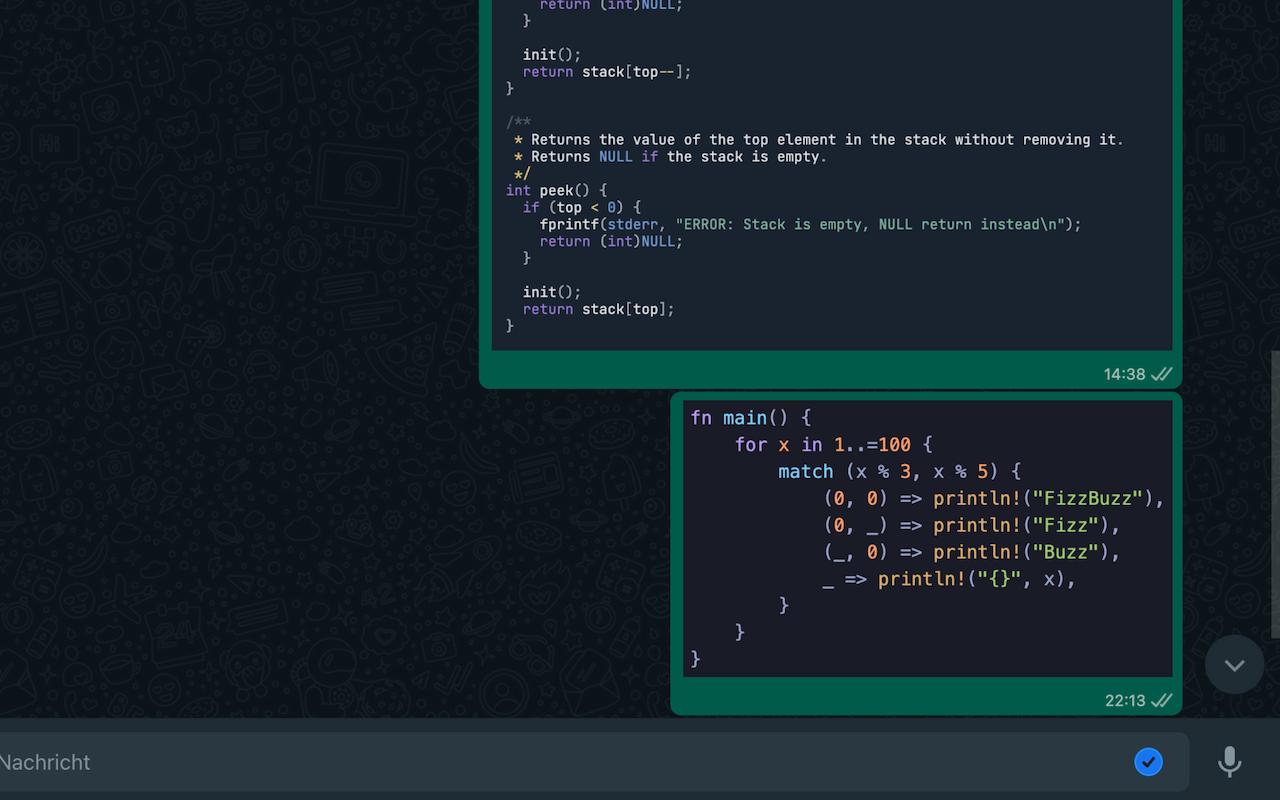

Write a markdown code block in your message:
```rust
fn main() {
    for x in 1..=100 {
        match (x % 3, x % 5) {
            (0, 0) => println!("FizzBuzz"),
            (0, _) => println!("Fizz"),
            (_, 0) => println!("Buzz"),
            _ => println!("{}", x),
        }
    }
}
```Upload your code to https://codequest.frank-mayer.io and share a link to the rendered image.


Using npm
npm installnpm run buildMake sure the extension is build before you install it.
You have to remove the
browser_specific_settingsfrom themanifest.jsonwhen building for Chrome.
- At the top right, click
More ⋮>More tools>Extensionsor go tochrome://extensions. - Enable
Developer modeat the top right corner. - Click
Load unpackedat the top left corner. - Choose this repository.
- Go to
about:debugging#/runtime/this-firefox. - Click
Load Temporary Add-on. - Select the
manifest.jsonfile of this repository.
- Pack the compiled addon into a zip archive or download it from the releases.
- Go to
about:addons. - Click the ⚙️ button.
- Click
Install Add-on From File. - Select the downloaded ZIP.